Loading Seatline…
Waking up after a quiet moment — this can take a few seconds.
Loading Seatline…
Waking up after a quiet moment — this can take a few seconds.
Rooms, desks, meeting rooms, kitchens and exits: the tools in Edit layout.
On the map, click Edit layout (top right). The tools appear on the left, the details of what you select on the right. Only editors and admins see this.
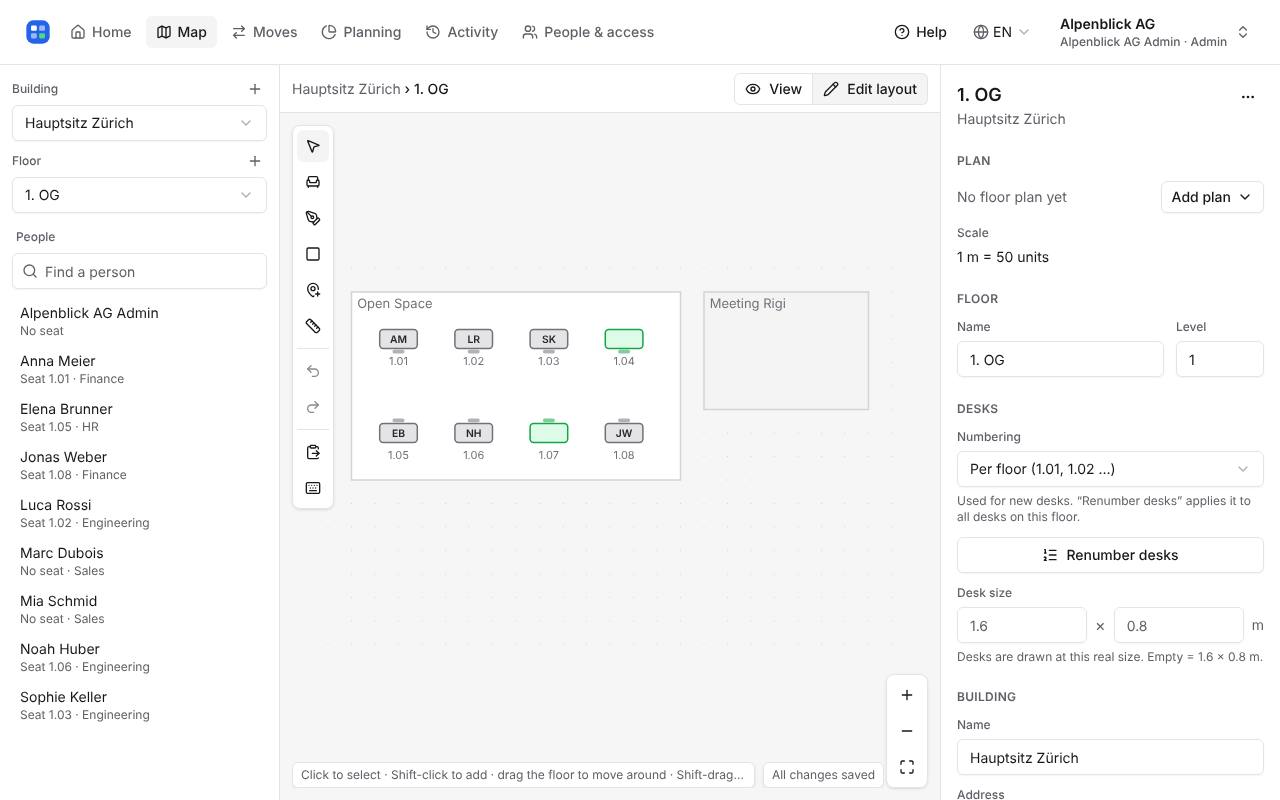
Draw rectangular room (B): drag a rectangle. Draw room by corners (P): click each corner, double-click to finish. Add seat (S): click wherever a desk is. Select a room to give it a name, a type (office, open space, meeting room) and, for meeting rooms, capacity and equipment.
Add a marker (K) and click where the kitchen, printer, exit or first-aid kit is, then choose what it is on the right. Markers help people find their way on the map.
Desk numbers follow the floor (3.01, 3.02 …) or the room (12-A, 12-B …); choose under Numbering and click Renumber desks to apply it to all desks.
Select several things with Shift-click or Shift-drag, then copy (⌘C / Ctrl+C) and paste (⌘V / Ctrl+V), even onto another floor. Undo with ⌘Z / Ctrl+Z. Press ? for all shortcuts.
Write to hello@seatline.ch.