Loading Seatline…
Waking up after a quiet moment — this can take a few seconds.
Loading Seatline…
Waking up after a quiet moment — this can take a few seconds.
Assign, move, reserve and free desks — and see who sits where.
Green desks are free, grey ones taken, yellow ones reserved. Click a desk to see who sits there, since when, and everyone who sat there before.
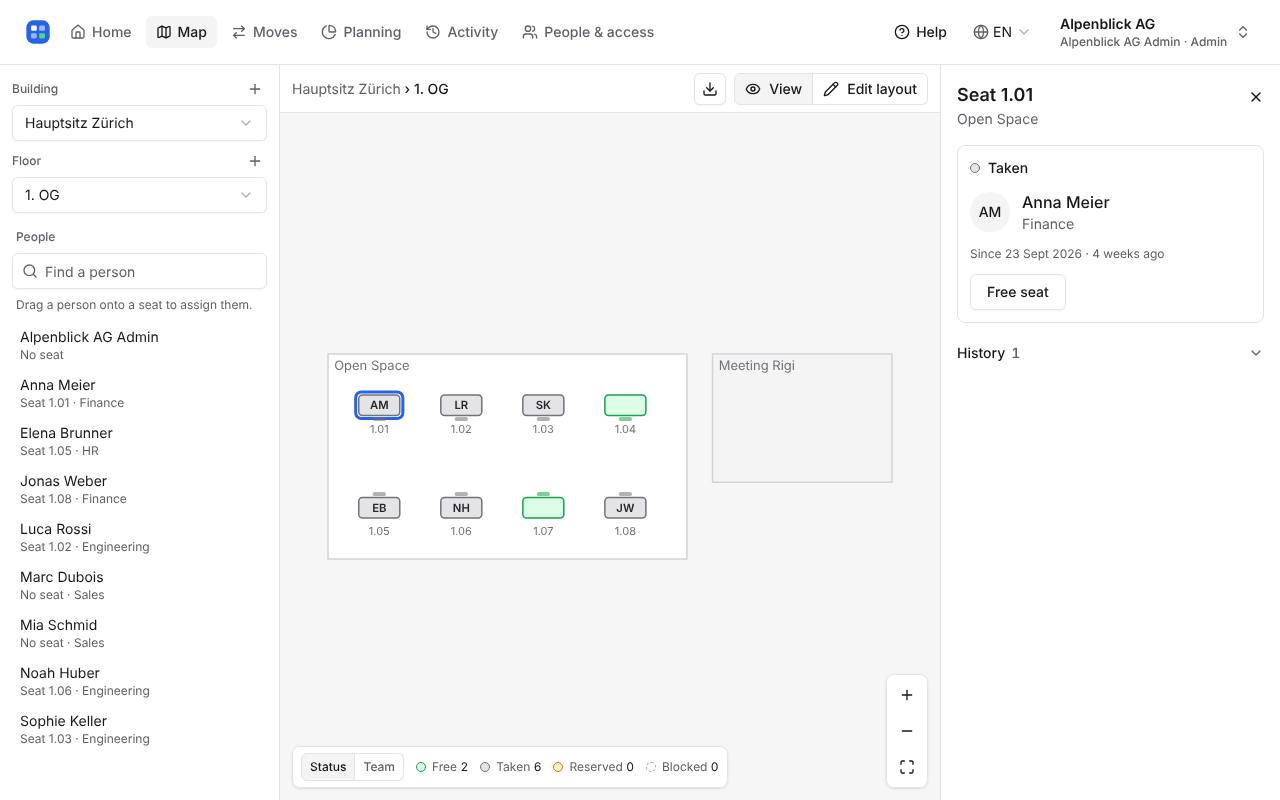
Drag a person from the list on the left onto a free desk. If they already sit somewhere, that is a move: their old desk becomes free. You can also click a free desk and choose Assign person.
Every change shows a message with Undo. The history keeps both the change and the undo.
Click a free desk, choose Reserve and type who it is for (e.g. “New hire in May”). To end a seat, click it and choose Free seat or Cancel reservation.
Type a name in the people search on the left and click the person: you see their desk and history. Find a free desk filters free desks by what they have — standing desk, two screens, by the window.
Colour seats by: Team shows each team’s area in its own colour.
Write to hello@seatline.ch.