Loading Seatline…
Waking up after a quiet moment — this can take a few seconds.
Loading Seatline…
Waking up after a quiet moment — this can take a few seconds.
Add your buildings and floors, start from an example office or import your architect’s plan.
Open Map. In the left panel, click + next to Building, enter a name and address, then + next to Floor. Give the floor a name (e.g. “3rd floor”) and a level number; desk numbers follow the level (3.01, 3.02 …).
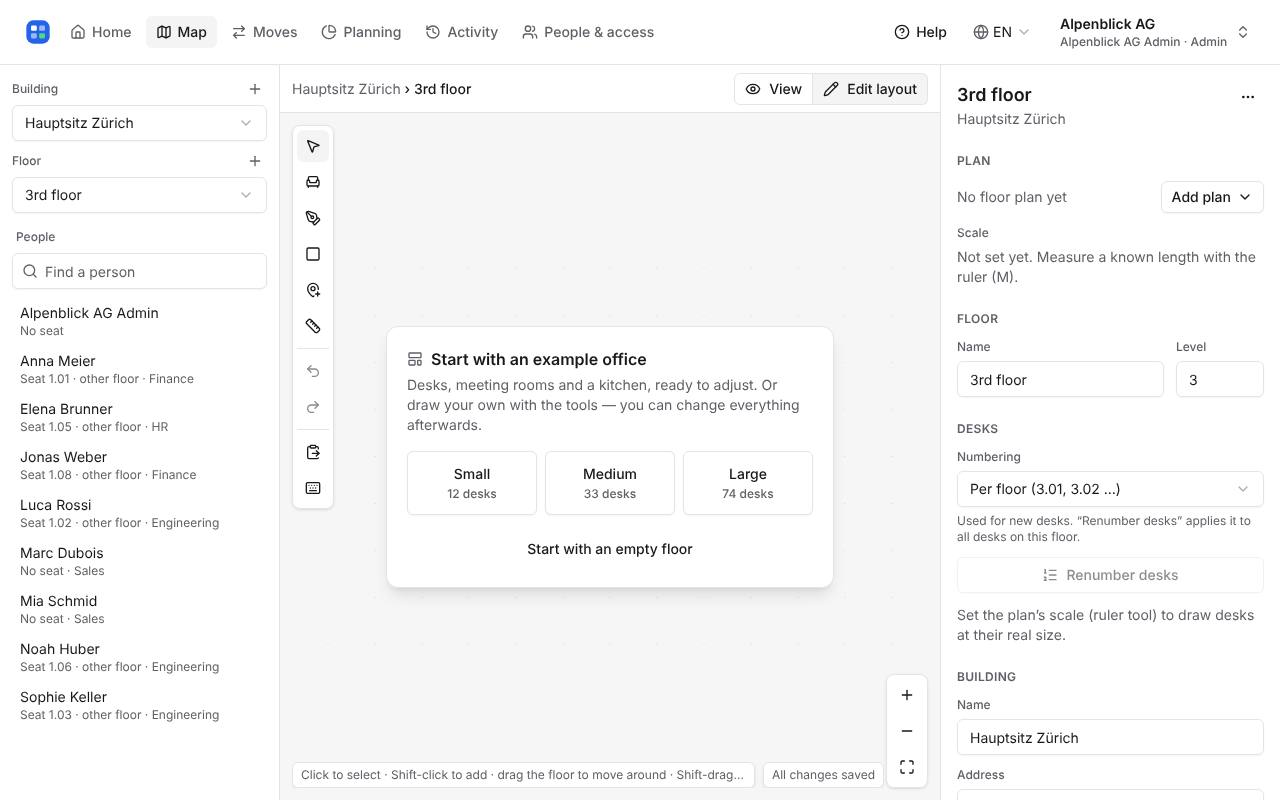
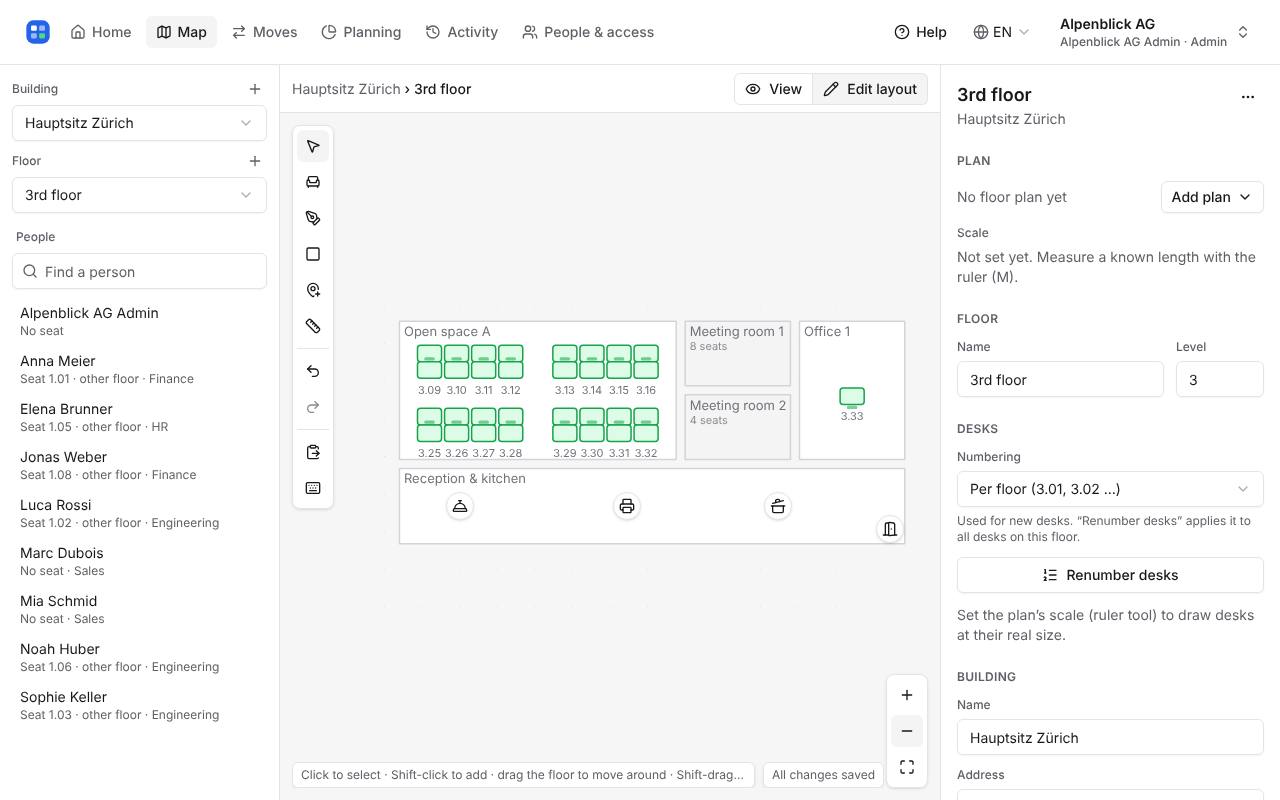
A new floor opens in Edit layout and offers ready-made offices: Small (12 desks), Medium (33) and Large (74), with meeting rooms, offices, a reception and a kitchen.
Pick one, then move, rename or delete whatever doesn’t match. Undo removes the whole example at once. Prefer to draw yourself? Choose “Start with an empty floor”.
Drag rooms and desks to where they are, resize rooms by their corners and sides, and rename rooms in the panel on the right. Changes save by themselves.
In the right panel, open Add plan → Import architect plan and choose a DXF, PDF or picture. Seatline suggests rooms and desks from it; tap a suggestion to leave it out, then import. The plan stays in the background so you can draw over it.
Upload picture just puts an image behind the floor. Set the scale with the ruler (M): drag along a wall whose real length you know, and desks are drawn at their real size.
Write to hello@seatline.ch.