Loading Seatline…
Waking up after a quiet moment — this can take a few seconds.
Loading Seatline…
Waking up after a quiet moment — this can take a few seconds.
Prepare a team move, check it on the map and let it happen on the day you choose.
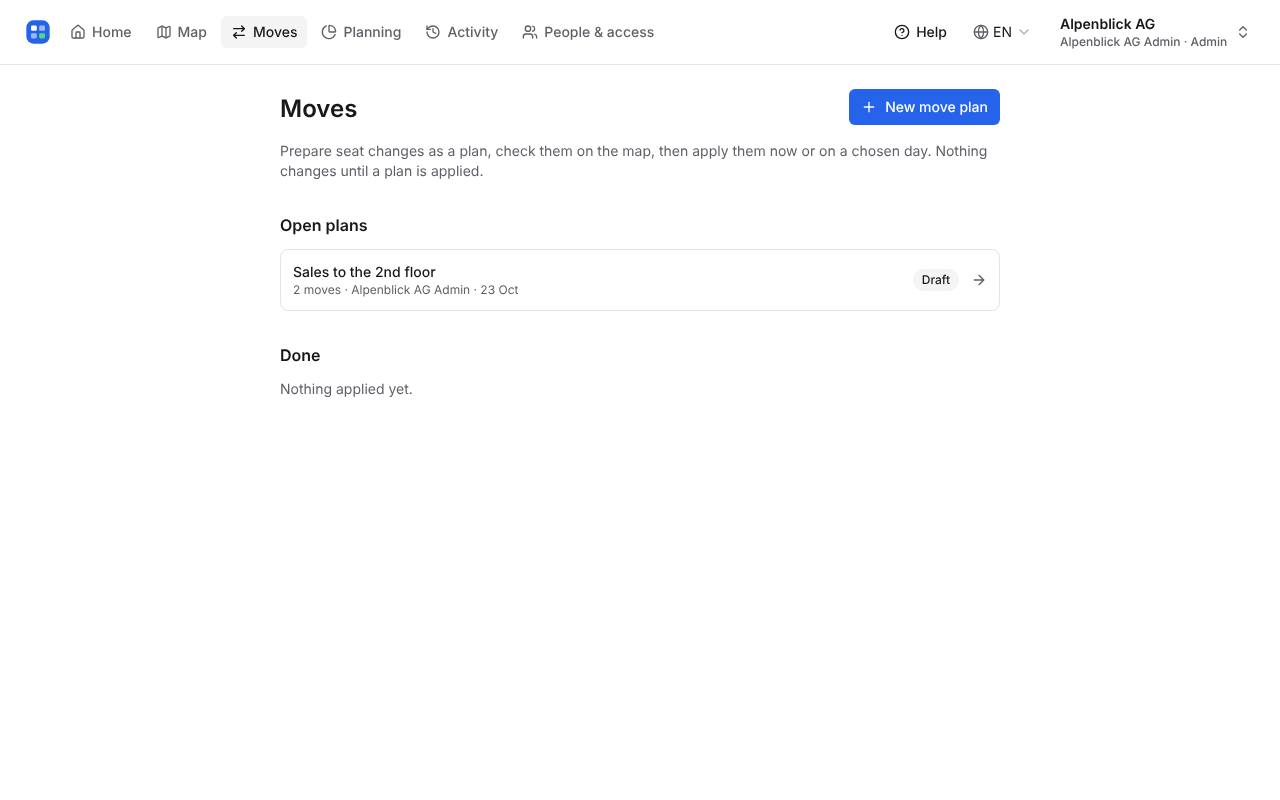
Open Moves and click New move plan. Give it a name (e.g. “Sales to the 2nd floor”). Nothing changes on the real map until the plan is applied.
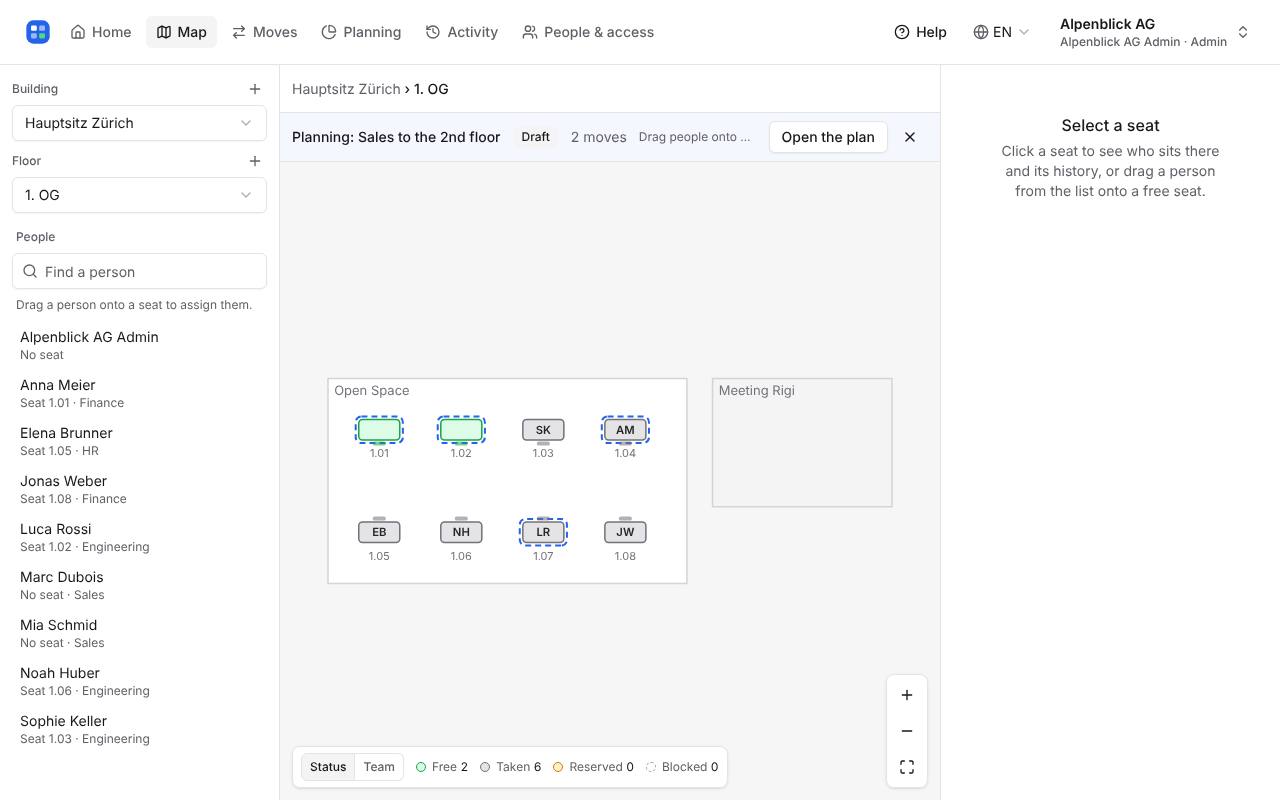
Click Plan on the map. The map shows the floor as it will be: drag people onto desks as usual — each move is added to the plan. Move a team places a whole team at once.
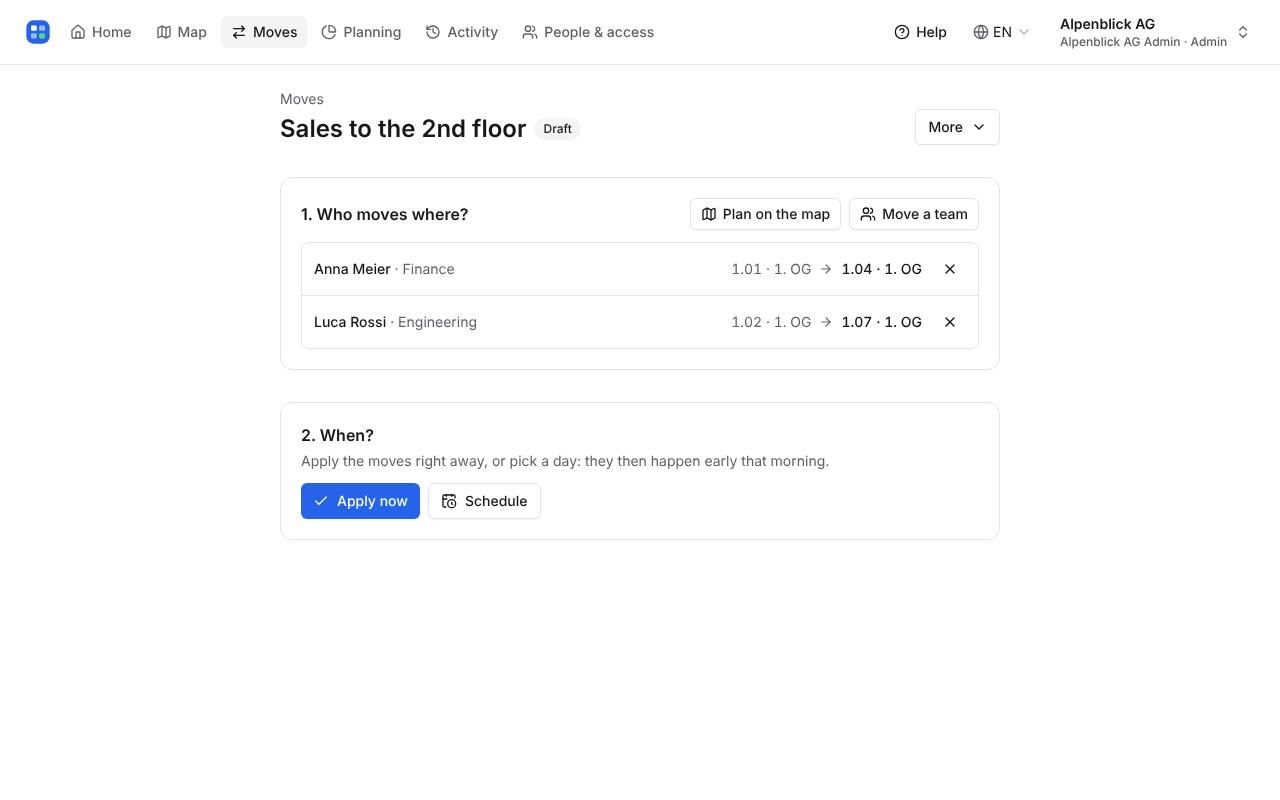
The plan page lists every move and warns about problems (a desk taken by someone who isn’t moving, a blocked desk, a desk wanted twice). Choose Schedule for a date — the moves happen early that morning — or Apply now.
Moving list prints every move sorted by starting place, with a tick box per move and signature lines.
Write to hello@seatline.ch.