Loading Seatline…
Waking up after a quiet moment — this can take a few seconds.
Loading Seatline…
Waking up after a quiet moment — this can take a few seconds.
Add your colleagues by hand, from Excel or from Microsoft 365, and decide who may do what.
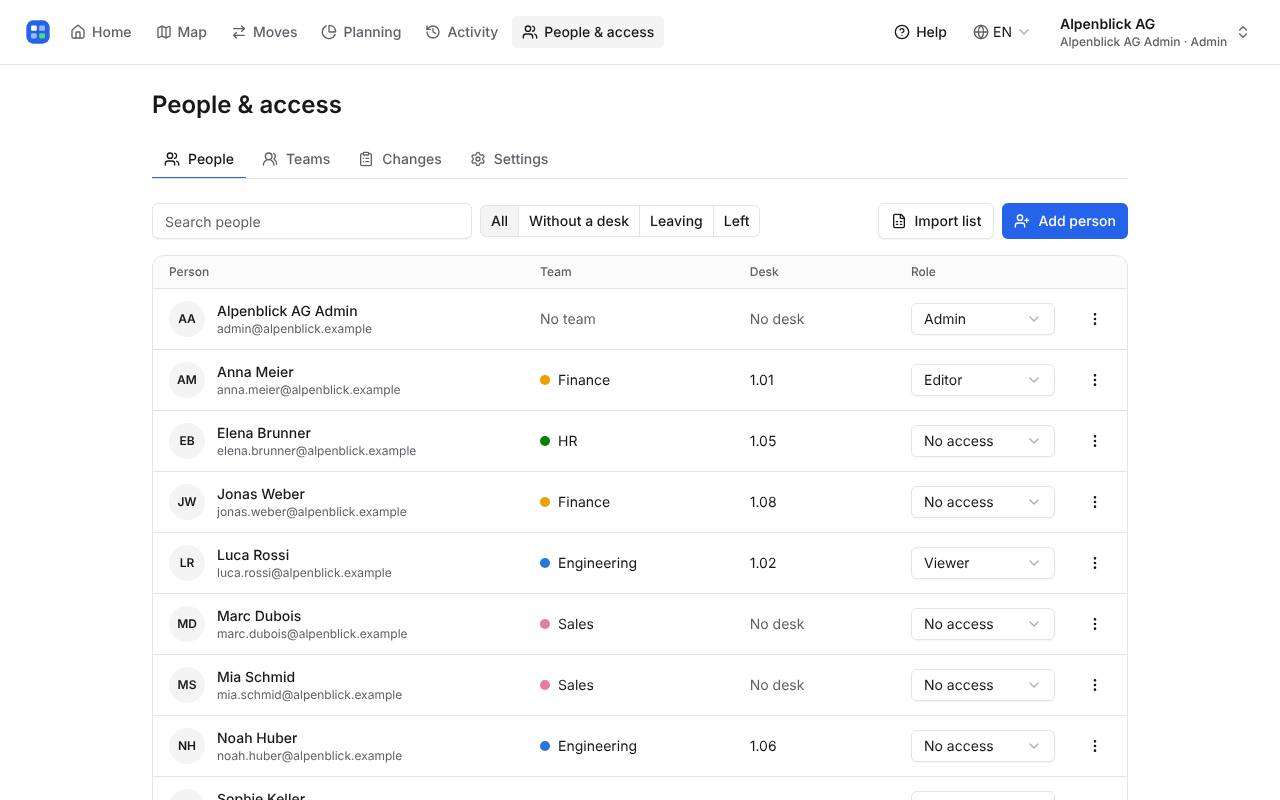
Admins find everyone under People & access: team, desk, role and whether they still work here. Filter by people without a desk, people leaving soon or people who left.
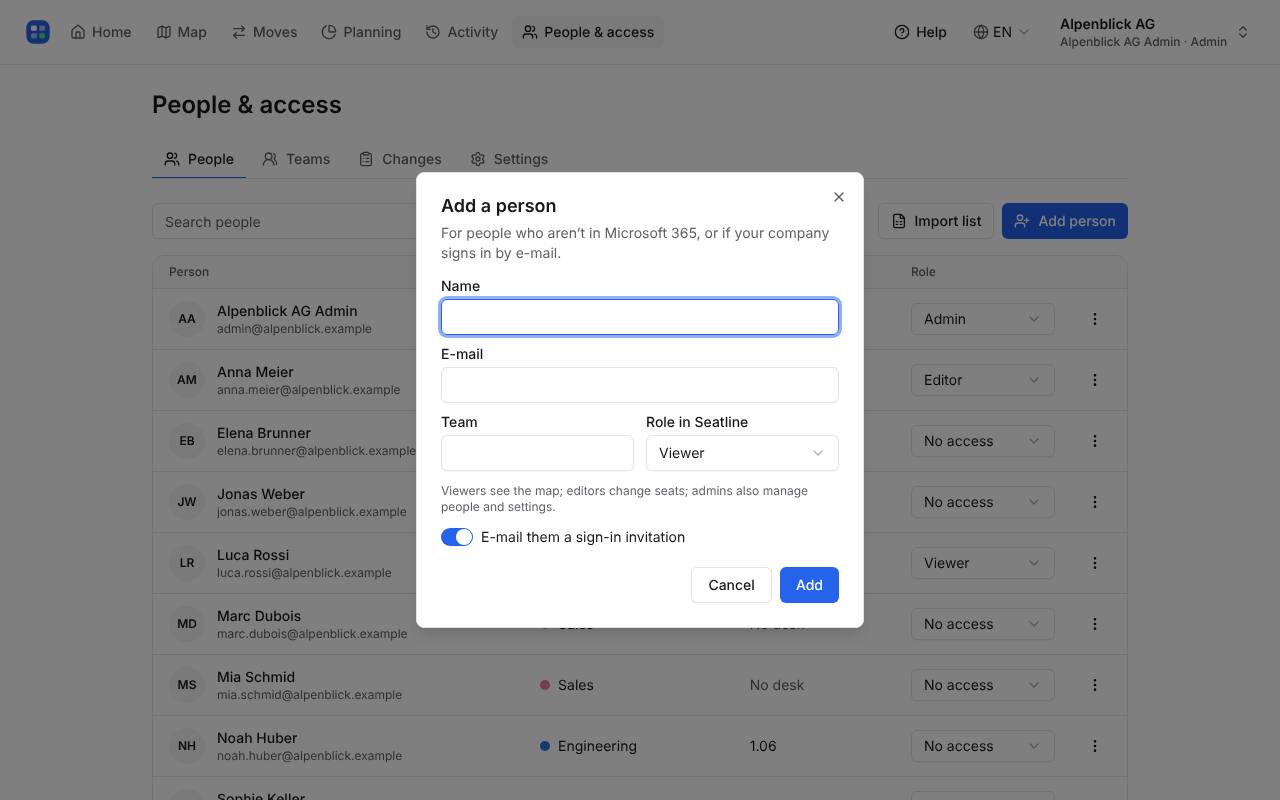
Click Add person, enter name and e-mail, optionally a team and a role. Leave “E-mail them a sign-in invitation” on to let them sign in right away.
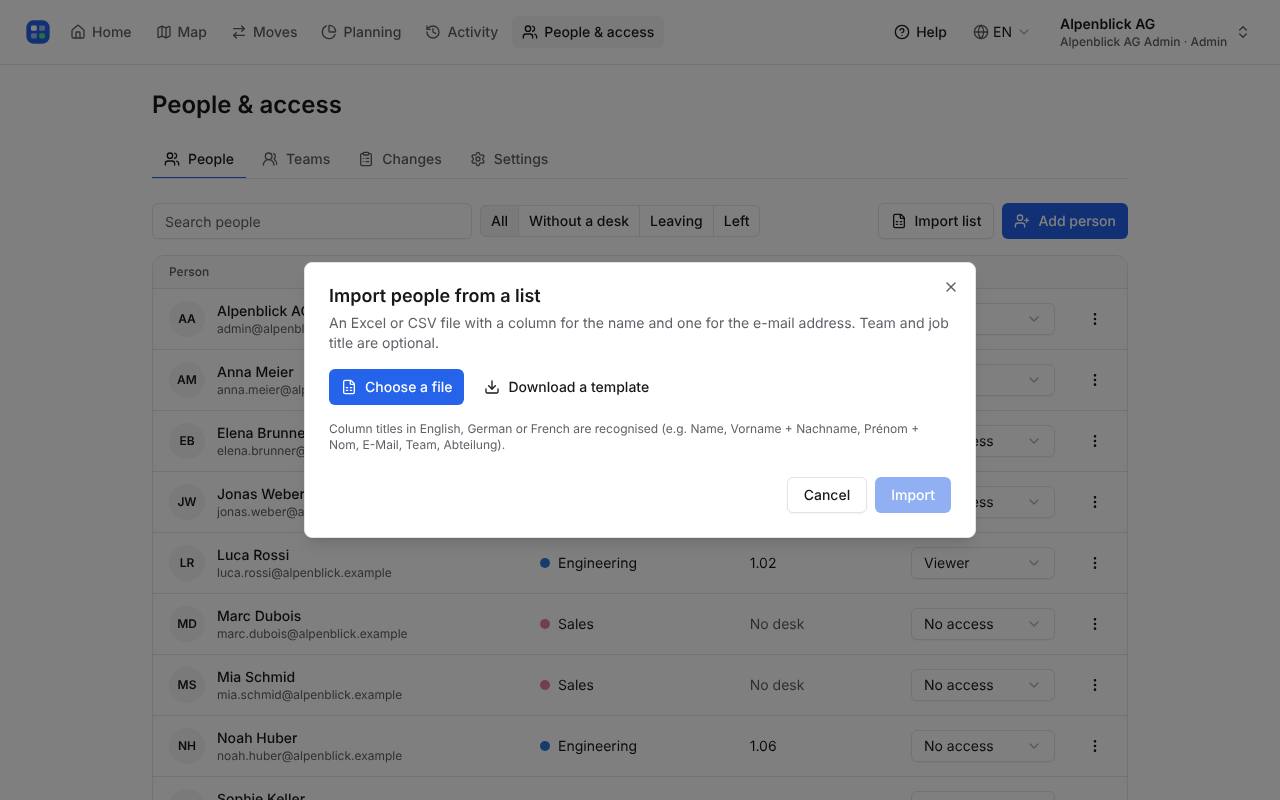
Click Import list and choose an Excel or CSV file with name and e-mail (and team or job title if you have them). Column titles can be in English, German or French. Seatline shows which rows are new before anything is saved.
With Microsoft 365, people and teams update every night from your directory (Settings → Sync now for an immediate update). Your IT approves Seatline once.
Roles: Viewer sees the map, Editor changes seats and layouts, Admin also manages people and settings. “No access” people can still have a desk.
Write to hello@seatline.ch.